OWNER APP – TAPI
Tapi is a property maintenance platform connecting tenants, owners, tradies, and property managers, with the Property Planner App helping homeowners manage and plan home maintenance.
The app was designed to simplify home maintenance, shaping structure, interactions, and visual design to make information easy to understand and support confident, efficient task management.
role
UX / UI Designer
Client
Tapi
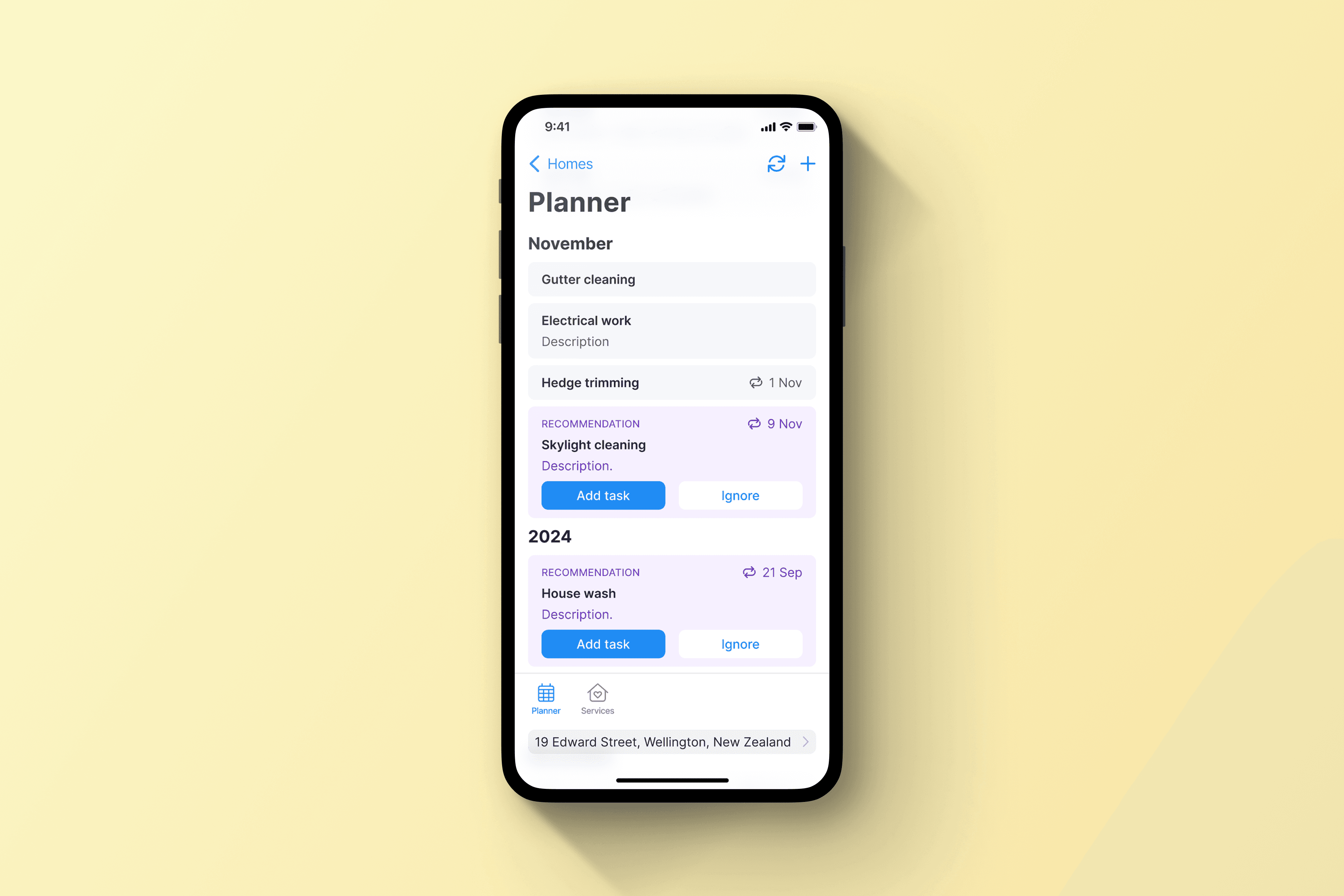
Led end-to-end UX and UI design for the Property Planner App, from research and concept development through to high-fidelity design and handoff.
Used insights from homeowners and property managers to define problems, shape features, and improve clarity and task flow, collaborating closely with stakeholders and developers to deliver a user-centered and scalable solution.
pROBLEM
Property managers struggled to scan and prioritise maintenance jobs efficiently, as the existing card layout hid key information and limited visibility.
High scrolling and unclear hierarchy slowed workflows, and the platform needed a scalable, data-friendly table layout to support faster, more confident task completion across large property portfolios.
User
mindsets
We identified key homeowner mindsets that shaped how the app supports planning, tracking, and managing maintenance tasks.
These insights guided clearer task visibility, simple timelines, and intuitive interactions, helping homeowners stay organised, prioritise work, and take a more proactive approach to property care.
1
Teamwork Couple
Usually one person organises maintenance, but they want to share the load and care for their home together.
2
Time-poor Homeowner
Wants to spend less time on upkeep and more time on what matters—family, friends, and hobbies.
3
Proactive Planners
Tired of reacting to problems, they want to stay ahead and manage their home with confidence.
4
List Juggler
Keeps track of jobs but struggles to find time or structure. Wants a clear plan and progress tracker to stay organised.
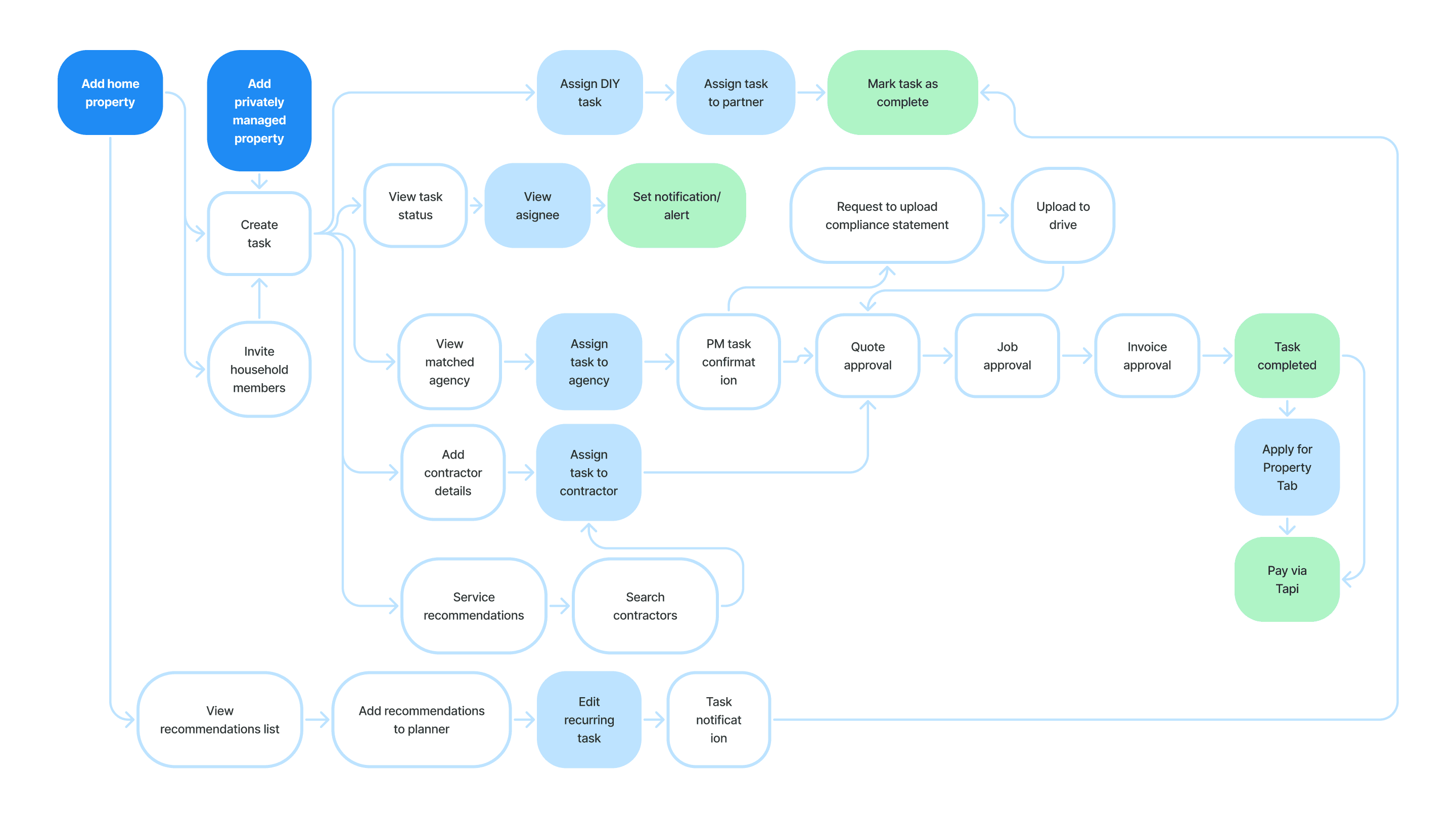
The Property Planner App was designed to simplify home maintenance by giving users clear visibility of tasks, timelines, and progress, making it easier to plan, track, and complete work with confidence and guided by core design principles.
Surface key tasks and timelines for quick understanding.
Enable simple planning and progress tracking.
Create intuitive, scalable interactions for different homes and users.
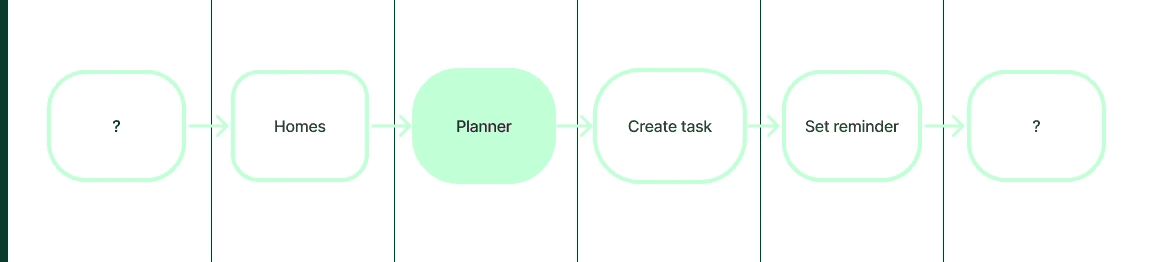
Explored timelines, recurring tasks, and task ownership options through sketches and wireframes, iterating with feedback to create a clear, organised, and adaptable maintenance experience.
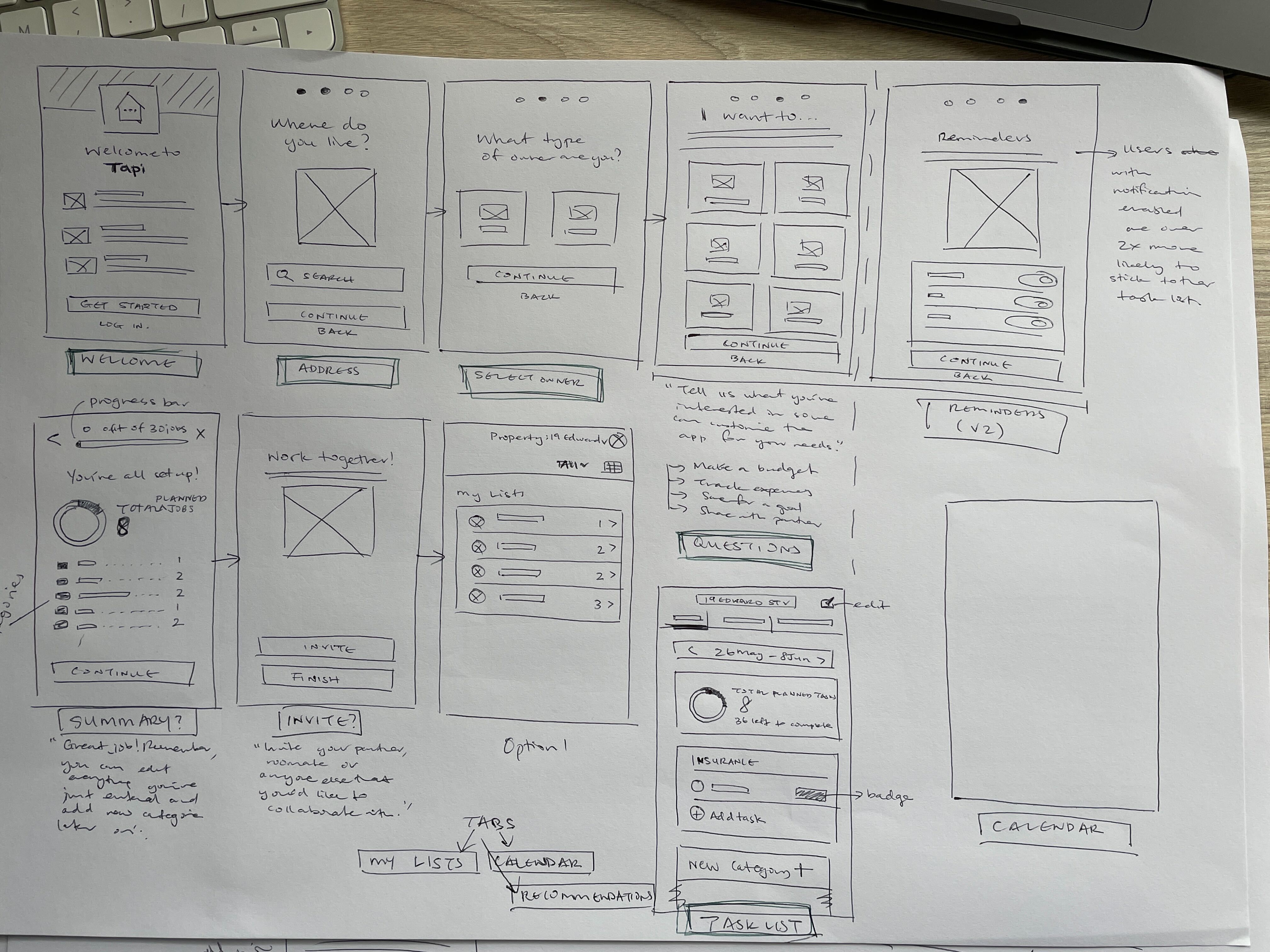
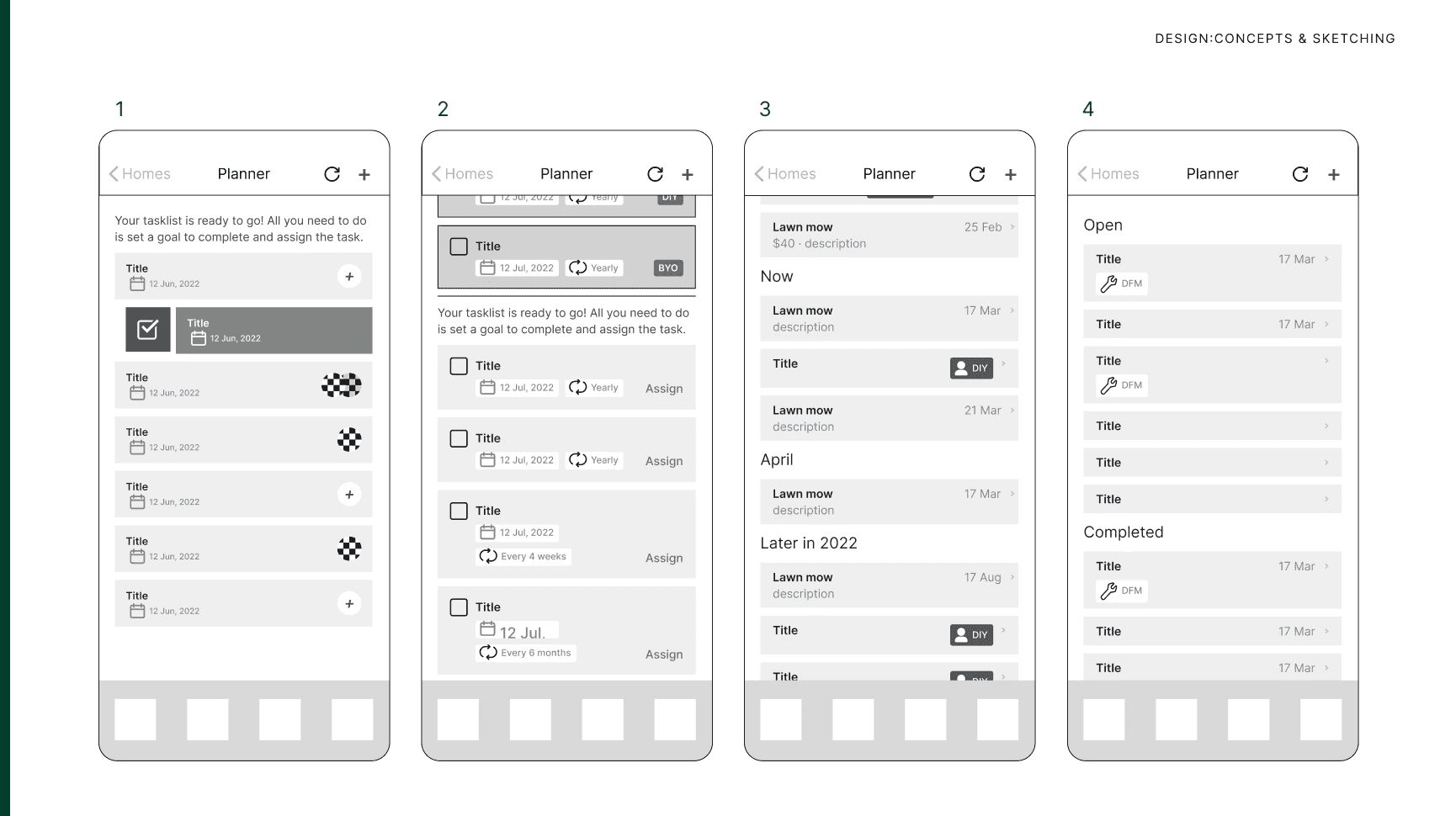
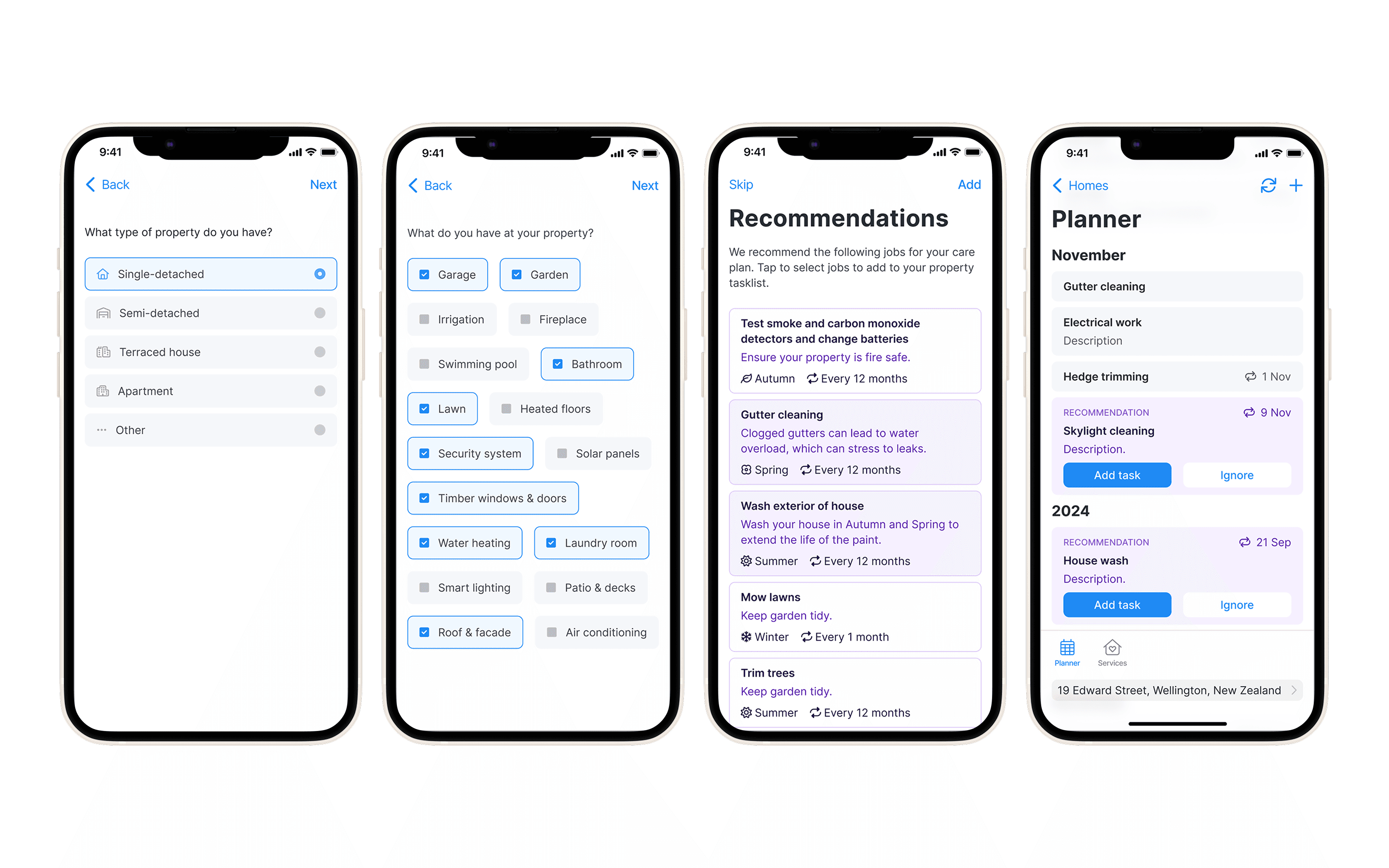
Refined the wireframes to prioritise proactive, personalised recommendations over static task lists. Homeowners complete a short onboarding questionnaire, and Tapi surfaces the right tasks at the right time, helping them stay on top of maintenance with confidence and less stress.
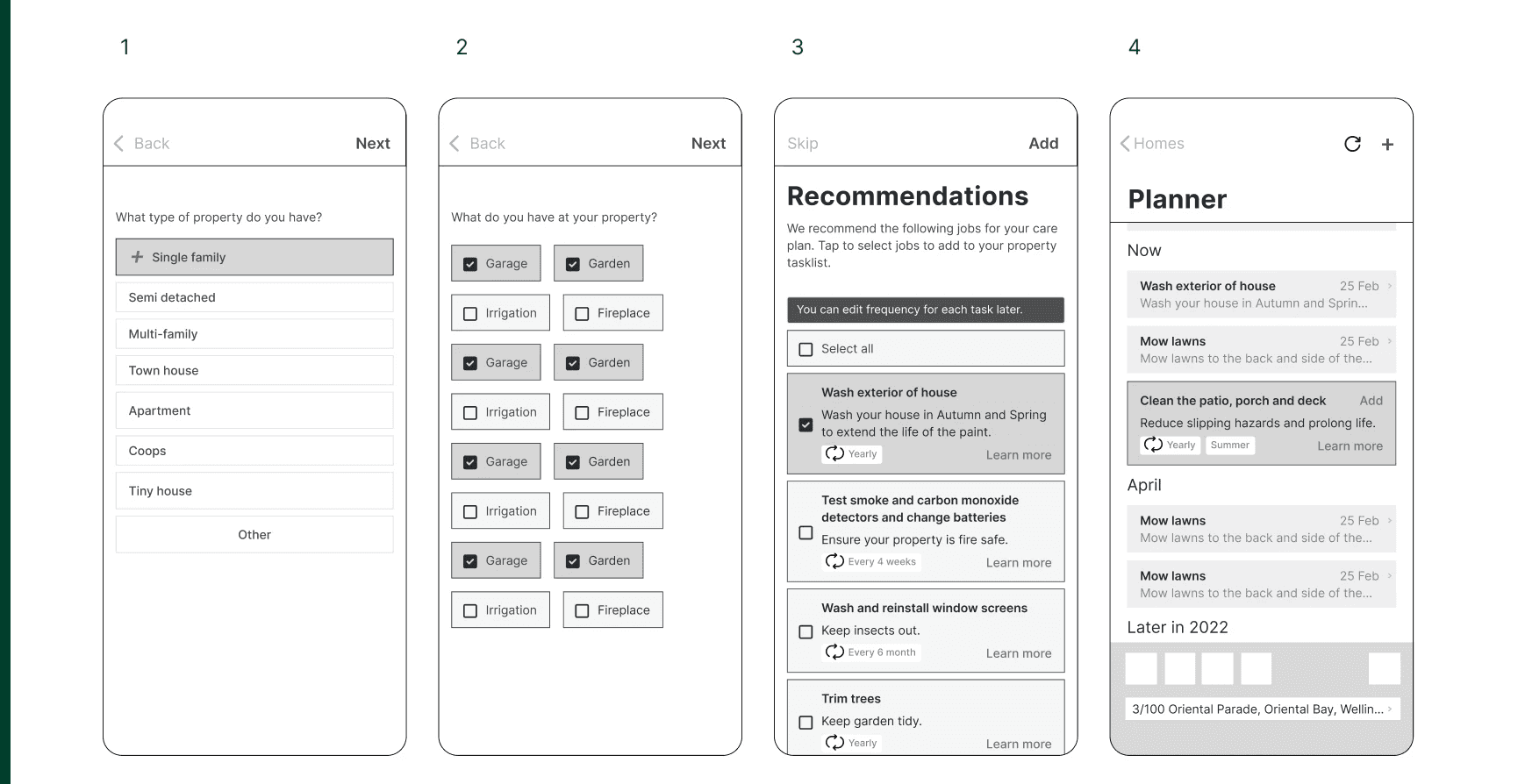
Built interactive table prototypes in Figma to test navigation and sorting, gathering feedback from homeowners to identify friction points.
user
testing
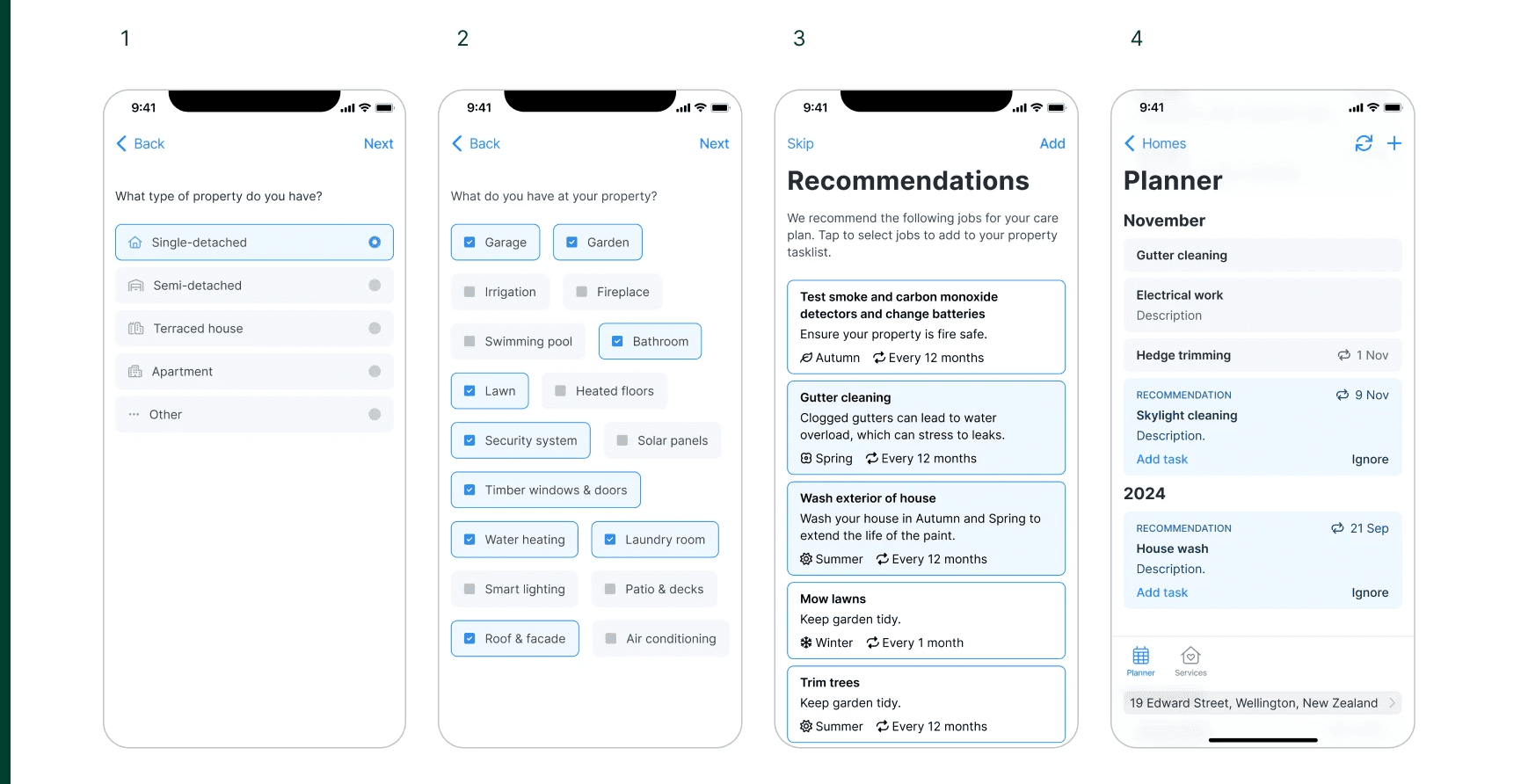
Conducted usability testing with homeowners to evaluate task visibility, timelines, and onboarding recommendations, using insights from early prototypes to identify friction points and guide iterative improvements to the Property Planner App.
First round testing
Users wanted clearer multi-choice selection and easier task removal.
‘Learn more’ and ‘Add’ buttons were too small.
Cards felt crowded; recommendations were confused with buttons.
Planner layout, progress, and task hierarchy needed improvement to support motivation.
Second round testing
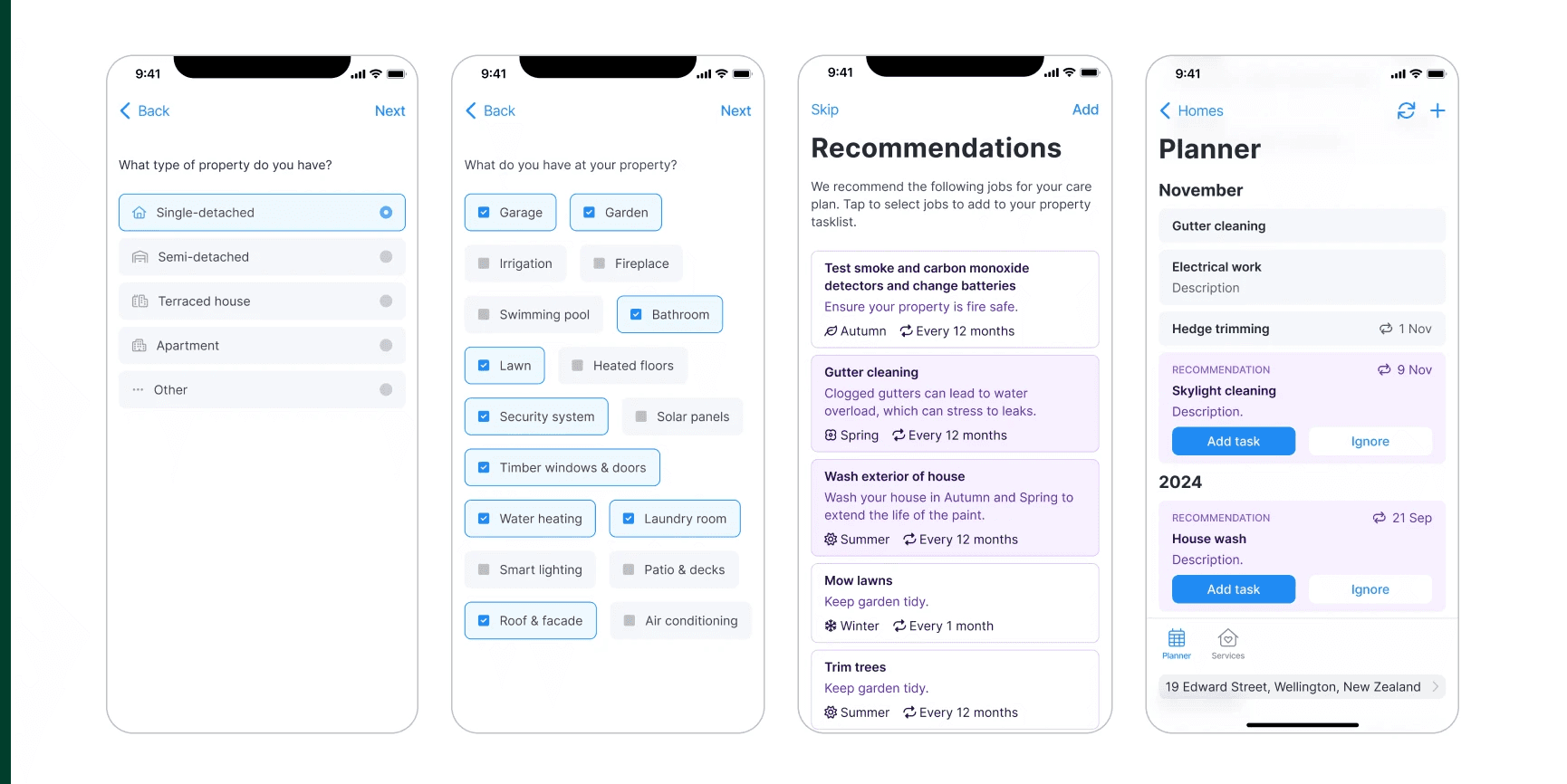
Improved multi-choice selection and task removal interactions.
Increased size and visibility of ‘Ignore’ and ‘Add’ buttons.
Redesigned cards for clearer distinction between recommendations and actions.
user interface
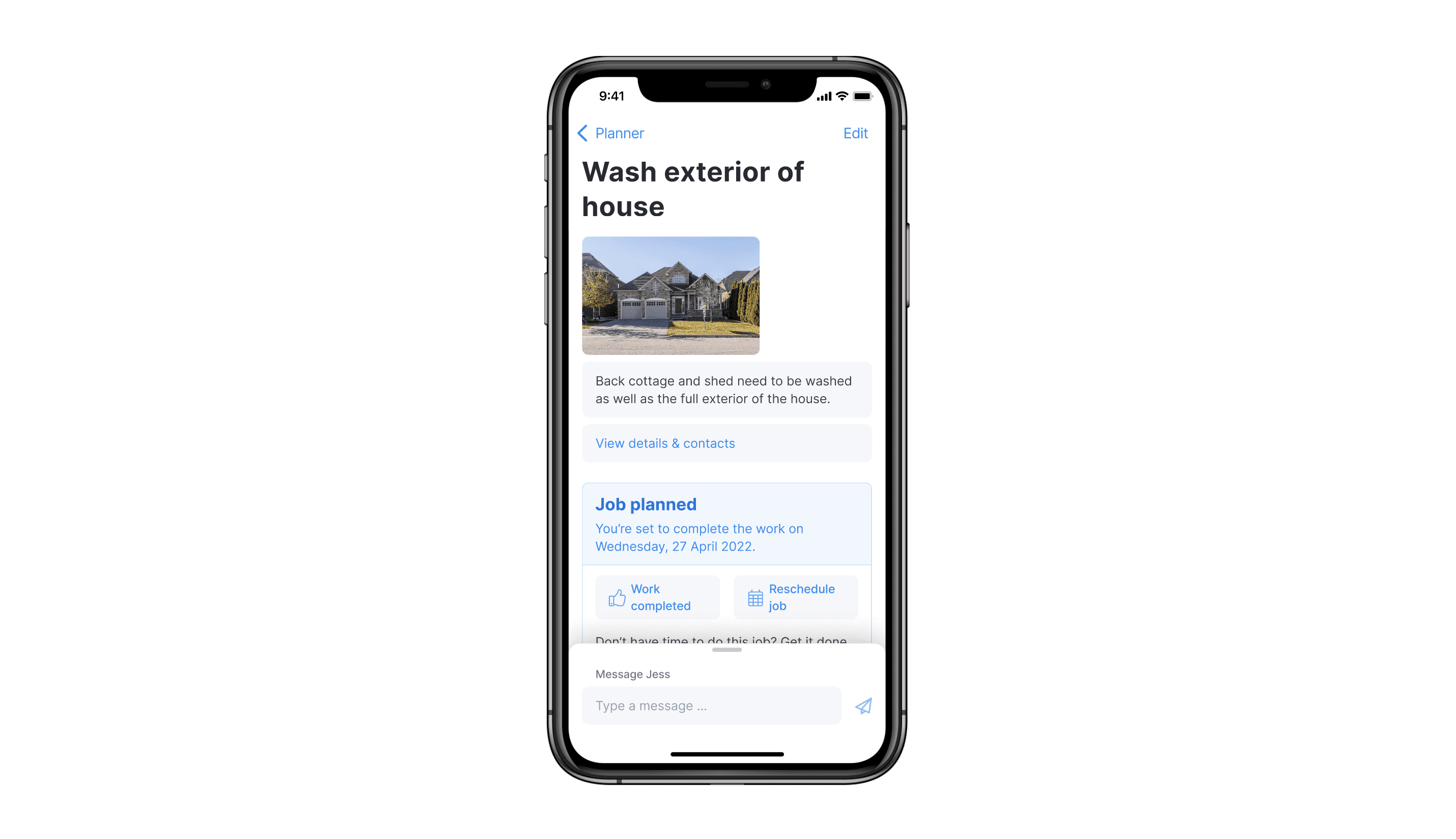
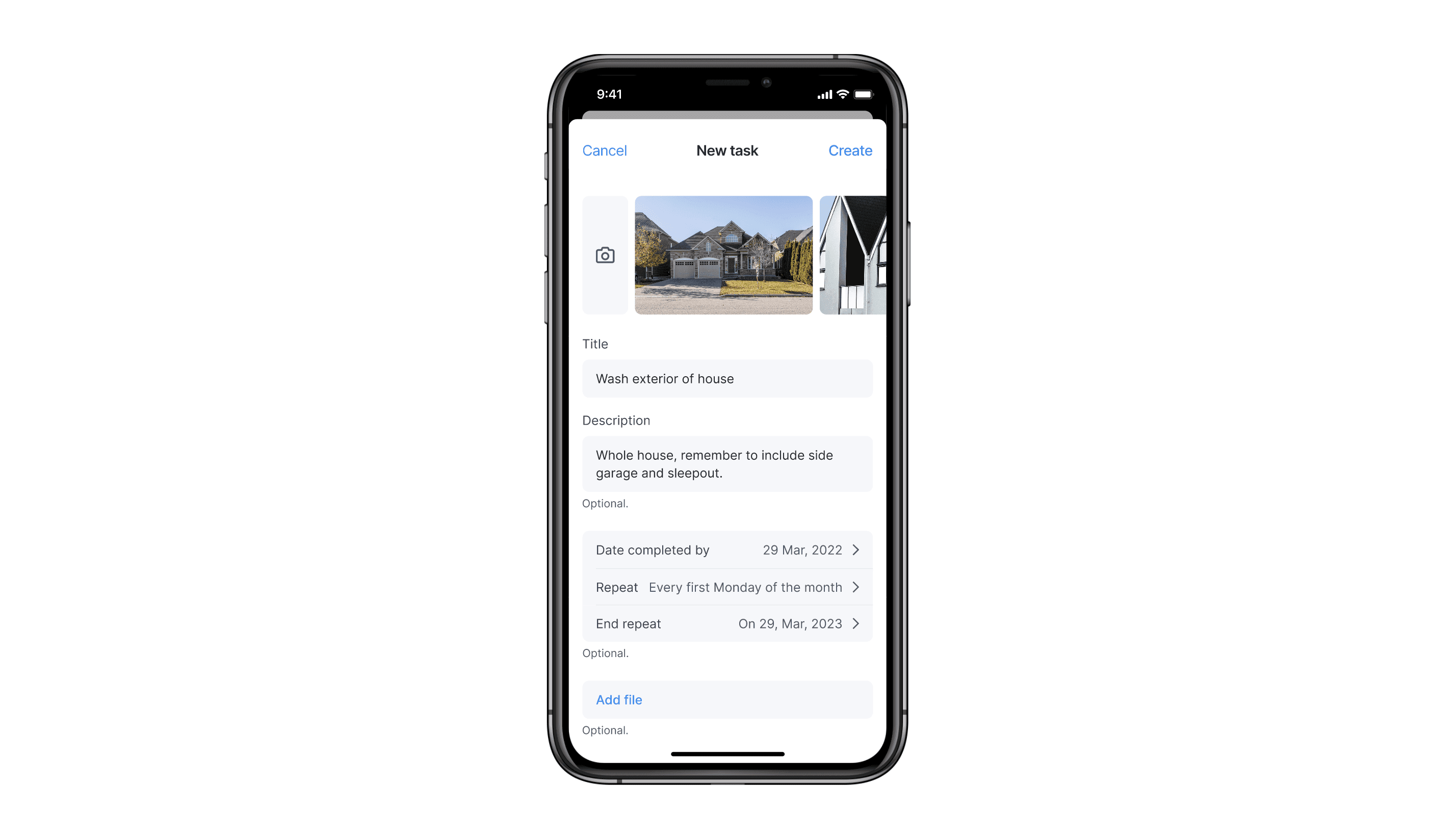
Led the UI design for the Property Planner App, using prototypes and user feedback to improve clarity, task visibility, and ease of managing home maintenance for homeowners.
Looking ahead
Opportunities to further improve usability, clarity, and long-term product impact.
Allow property managers to customise visible columns.
Improve filtering and sorting functionality.
Explore bulk actions to speed up repeat tasks.
Test changes earlier and gather feedback sooner to catch friction points sooner.